

Users can apply background blur or select virtual backgrounds in Scoot via the “Video Effects” tool accessible in the waiting room or main menu, although this feature is currently supported only on Chrome, Edge, and Firefox web browsers.
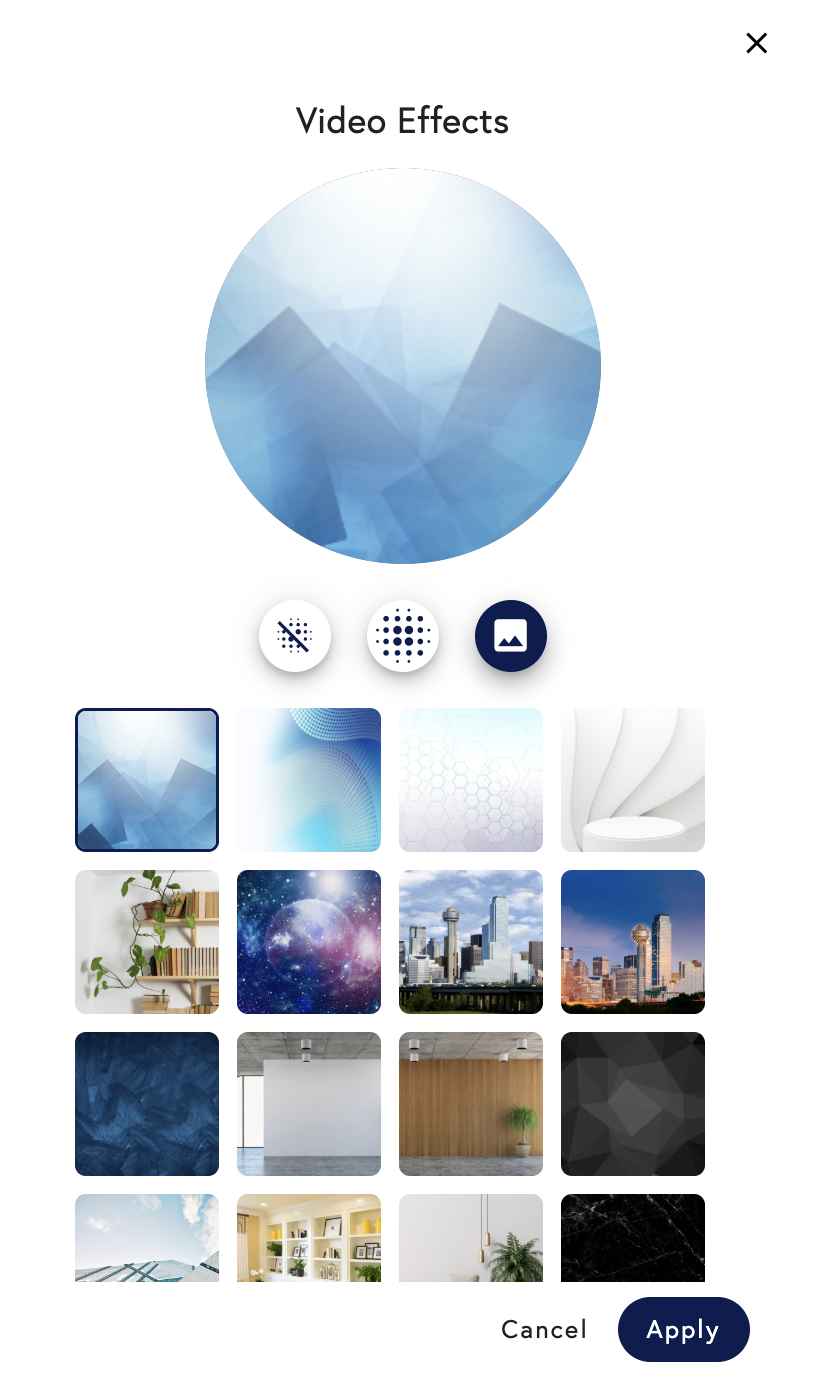 Adding a virtual background or blurring your background is one of those things that comes in handy often when attending virtual meetings and events. They add another layer of privacy and professionalism as well as giving you the chance to express some of your personality.
Virtual background support on the platform is currently only available for users on web through Chrome, Edge, and Firefox. Safari support will be available in the future. Users on Safari and iOS will be able to see the virtual backgrounds/blur used by users on Chrome, Edge, and Firefox.
Virtual backgrounds are not currently available on:
Adding a virtual background or blurring your background is one of those things that comes in handy often when attending virtual meetings and events. They add another layer of privacy and professionalism as well as giving you the chance to express some of your personality.
Virtual background support on the platform is currently only available for users on web through Chrome, Edge, and Firefox. Safari support will be available in the future. Users on Safari and iOS will be able to see the virtual backgrounds/blur used by users on Chrome, Edge, and Firefox.
Virtual backgrounds are not currently available on:
- Android Devices on Chrome Mobile Browser
- iOS Devices via our native iOS app
- Safari