

Signing in
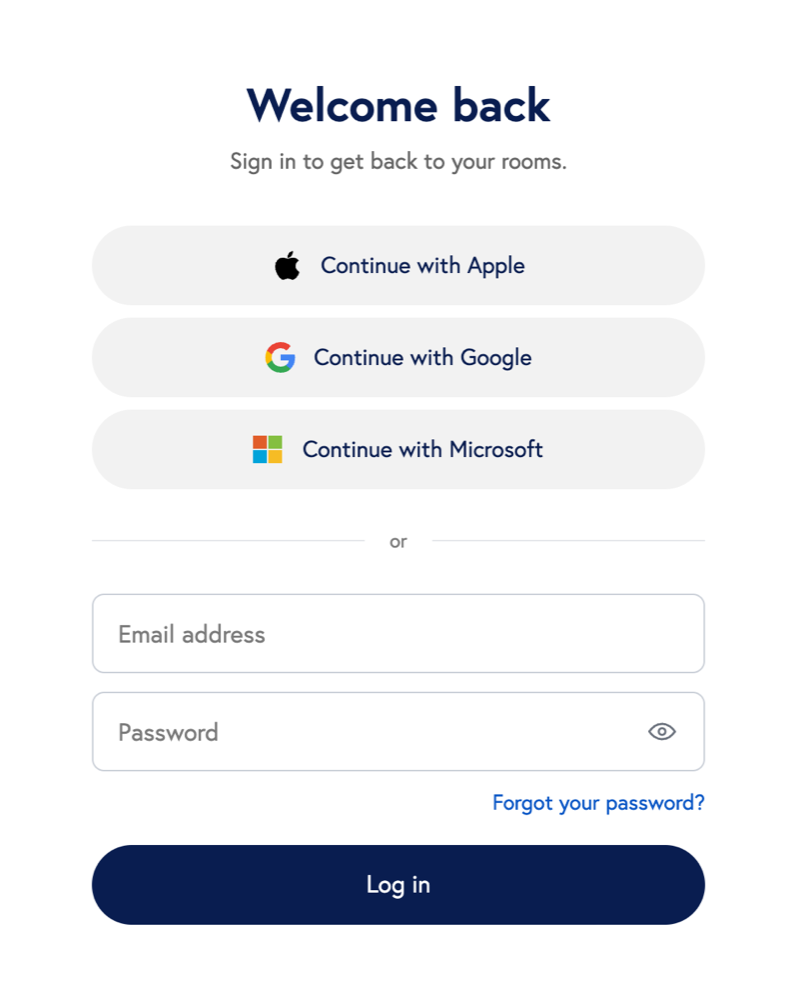
- Go to us.scoot.app.
- Click the same option you used when you created your account. Scoot marks it Last used on devices where you’ve signed in before.
- If you use email and password, enter them and click Log in. If you’ve forgotten your password, click Forgot your password? See Changing your password.
Use one method every time
Apple, Google and Microsoft are separate sign-in methods from email and password, even when the email address is the same. Always sign in the way you signed up. Scoot can merge accounts that share an email address, but using your original method keeps your rooms, recordings and settings in one place.If a method is turned off
If you see “your organization has turned off password sign-in”, or “Your organization no longer allows that sign-in method”, your company has turned that method off. Use one of the other options on the page. If none of them work for you, contact your Scoot admin.For admins: choose your company’s sign-in methods
Availability depends on your plan and account settings.
- In the Scoot header, open Admin and select Account Profile.
- Find Sign-in methods.
- Turn each method on or off: Apple, Google, Microsoft, Email and password.
- The method you are signed in with. Sign in another way first.
- The last remaining method. At least one sign-in method must stay enabled.